Google services are spying on you. Please use private alternatives like Proton. For the privacy focused app alternatives click HERE.

Class on Demand: Fundamentals of Adobe Premiere Elements 7 2009 Adobe Educational Training Tutorial Learning DVD
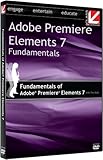
Class on Demand: Fundamentals of Adobe Premiere Elements 7 2009 Adobe Educational Training Tutorial Learning DVD

Class on Demand has done a good job on this tutorial. As a new Adobe Premiere Elements owner and a refugee from the IMovie/ Moviemaker world, I’ve found this DVD to be invaluable for figuring out the inner workings of my new software. I originally thought that I wouldn’t need training, that everything would be intuitive and easy to understand. But there are some things that you just need a DVD for. Adobe Elements is a visual program. Books are OK for some things, but not an editing program. You need to SEE whats happening with motion. DVD’s are great for learning the keyboard shortcuts, what each application does, what the Video effect looks like, etc. This DVD is very entertaining and fun to watch. Tim Kolb has a good sense of humor and does a great job pointing out the features of this program. I’ve found countless “Oh, that’s how you do it!” tips so far, from the mundane “How do you right-click?” to the expert “Here’s how the pro’s make the movies look so good..” He covers it all–and I mean ALL. I can’t recommend this DVD highly enough, especially for new Elements users and those of us switching from entry level editng programs. I’m pretty acomplished as a power home user, and even I needed this to get me going. There are so very many tips and tricks that you will learn–things that make sense and which enhance your experience with this well-crafted Training program. Every penny spent on this DVD will have been well worth it. Ben Sanderson, New York TechnoGeeks Emmy-Award winning editor, Tim Kolb, will help you get the most out of your Adobe® Premiere® Elements 7 software. Whether you re a video enthusiast or a parent with a camera, you ll learn how to edit and deliver your home movies.LESSONS: 1. Setting up a Project 2. Bringing in Media 3. Organizing Media 4. Editing 5. Effects 6. Transitions 7. Titling 8. Audio 9. Instant Movie 10. Output Approx. Run Time: 3 hrs. 13 mins. SYSTEM REQUIREMENTS: Windows XP/Vista or Mac OS X, Speakers, DVD-ROM drive. For free sample chapters on this and many other training titles, visit Classondemand.net

Rating: (out of 3 reviews)

List Price: $ 39.95

Price: $ 34.95

Comments

3 responses to “Class on Demand: Fundamentals of Adobe Premiere Elements 7 2009 Adobe Educational Training Tutorial Learning DVD”

  1. Andrew Lerner Avatar
    Andrew Lerner

    Review by Andrew Lerner for Class on Demand: Fundamentals of Adobe Premiere Elements 7 2009 Adobe Educational Training Tutorial Learning DVD
    Rating:
    Having taught myself how to use earlier versions of Adobe Premiere Elements prior to the release of Version 7, I’d always been able to do just the basics when it came to video editing. Enter Version 7 and a desire to really learn this product. After browsing on Amazon I discovered the “Class on Demand” series and Tim Kolb’s Learning DVD for the “Fundamentals of Adobe Premiere Elements 7”. I ordered it, watched it over a series of nights, and man I’m glad I did. All of the features on premiere elements 7 which I couldn’t quite grasp from the instruction manual “smart tagging, organization, certain image correction effects” all fell into place once I saw Mr. Kolb demonstate and explain these once arcane areas. I occasionaly go back to certain “classes” on the DVD and find myself always picking up some new trick or piece of advise. I strongly recommend this DVD to anyone trying to master Elements 7. But the proof is in the images – from my collection of short videos I regularly post on YouTube, their is such a clear line between my recent, post-Kolb products and the one’s I did before.

    Thank you Tim. I will be looking for any other products you may be offering in the future because your method of teaching is pleasant to experience.

  2. Linda Zeiger Kopatz Avatar
    Linda Zeiger Kopatz

    Review by Linda Zeiger Kopatz for Class on Demand: Fundamentals of Adobe Premiere Elements 7 2009 Adobe Educational Training Tutorial Learning DVD
    Rating:
    Loved this tutorial. Very well done in a logical sequence transitioning from one skill to the next. I highly recommend this video to everyone from beginners (like me) or intermediate users. This is probably the best tutorial on the market for Adobe Elements Premiere 7. Good Job Tim Kolb.

    My pnly problem with the video is I have a 64 bit Vista Home Premium Operating System fine for me.

  3. Son of thunder Avatar
    Son of thunder

    Review by Son of thunder for Class on Demand: Fundamentals of Adobe Premiere Elements 7 2009 Adobe Educational Training Tutorial Learning DVD
    Rating:
    I bought this video just recently, I wasn’t able to download it. I asked for help to the company technician, I followed his instructions but I wasn’t able to download the program. I get a message “APEL.exe has encountered a problem and needs to close. We are sorry for the inconvenience.” For 2 days I have not received E-mail’s from the technician. I never had problems before downloading programs, this is the first time I couldn’t download a program. I’m able to download the folders of photos, but not the operating program. I reviewed the site and program and I liked it bought the DVD but no luck in downloading it.

Leave a Reply

Your email address will not be published. Required fields are marked *