Total Training Tutorial DVD, Tips & Tricks for Adobe Premiere Pro Software.
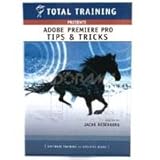
- Experience Level: Beginner Through Advanced
- Running Time: 3 Hours, 1 DVD
- Project Files: Included
- Create a track matte with the Adobe title designer
- Learn how to work with large screen footage using exporting, conforming and letterboxing footage
If you thought you couldn’t produce video like the pros, think again. In Total Training Presents: Adobe Premiere Pro Tips & Tricks, professional filmmaker and Premiere expert Jacob Rosenberg guides you through his top 10 secrets and techniques for getting more out of Adobe Premiere Pro.From track mattes to moving facial blurs (a la COPS), exporting 16:9 footage as 4:3, perfecting audiolevels, and even making your editing workflow more efficient, this single-DVD series will give you a variety of Premiere Pro tips that only the insiders know.Course Outline:1 CRUNCH TIME – 35 MINUTES 01 SETTING UP FOR CAPTURING CLIPS 02 USING SCENE DETECTION 03 INSERTING & LOCKING THE AUDIO 04 FAST TIMELINE EDITING 05 EDITING THE VIDEO TO GO WITH THE VOICEOVER 06 USING THE EDITING TOOLS & ADDING TRANSITIONS 07 ADDING A TITLE, FINISHING UP & PREVIEWING THE PROJECT2 IMPROVING THE MIX – 25 MINUTES 01 IMPORTING AUDIO & NORMALIZING VOLUME 02 SHOW CLIP VOLUME & MOVING AUDIO CLIPS 03 ADDING AUDIO TRANSITIONS 04 ADJUSTING CLIP VOLUME WITH THE PEN TOOL 05 APPLYING AUDIO TRANSITIONS & EFFECTS 06 THE AUDIO MIXER & TRACK-BASED AUDIO EFFECTS 07 ADDING THE SOUNDTRACK3 KEYBOARD POWER – 22 MINUTES 01 TOGGLING BETWEEN THE SOURCE & PROGRAM MONITORS 02 CYCLING BETWEEN WINDOWS & PERFORMING AN INSERT EDIT 03 CUSTOMIZING KEYBOARD SHORTCUTS 04 SETTING IN & OUT POINTS & PLACING CLIPS IN THE TIMELINE 05 PREVIEWING YOUR EDIT & EDITING IN THE TIMELINE 06 ADDING TRANSITI

Price: $ 39.95
Adobe Photoshop Projects Set 2 Tutorial Training – Photoshop for the Web on 2 CDRom, 2.5 Hours with 14 Video Lessons, new computer software instruction
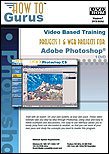
- Over 2.5 hours of Video Based Training on 2 CD-Roms
- 14 individual video lessons, with all working files
- For Windows 98, ME, 2000, XP, XP Pro, Vista
- Each set comes shrink wrapped in its own DVD-style retail case
- Note: These are Computer CD-ROMs and will not work in a music style CD player
Using Photoshop for the Web. Lessons are presented in step-by-step videos with a total running time of over 2.5 hours in 14 individual video lessons. Each instructor-guided title is presented in full motion video, with the instructor clearly demonstrating each lesson in the actual program being taught while providing a full narrative description of each step. Training comes with all sample Photoshop files used in the videos so that you can work along on your own computer.
As you follow along, you learn by doing, mastering the programs at your own pace. You are provided with a dynamic educational tool – an information rich resource you can refer to again and again.
Topics include: Properly Compressing Image Files for the web, Weighted Optimization of Images, Creating Seamless Background Tiles, Proper Text Resolution Settings, Creating Beveled Buttons using Alpha Channel, Creating Embossed Buttons, How to Create Glass Buttons, Using Complex Bump Maps, Layer Options Knockout Effects in ImageReady, Creating Animated Rollovers, How To Create Remote Rollovers, How To Use Complex Rollovers, Creating a Master Color Palette, Using Actions in ImageReady
List Price: $ 59.95
Price: $ 29.57
Leave a Reply