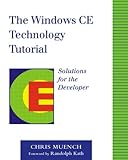
The Windows CE Technology Tutorial: Windows Powered Solutions for the Developer
“If you want the straight shot on writing code for the hottest information appliances powered by Windows CE, this book is your guiding light. A must for any serious developer of Windows CE-based applications!” –Scott Henson, Group Manager, Windows CE Developer Evangelism, Microsoft Corporation
This practical guide is designed to get programmers up and running with Windows CE, Microsoft’s emerging operating system for handheld PCs and other alternative computing devices. This book helps you learn Windows CE programming by building on your experience with Windows 98 and NT. Although other resources may take a more theoretical approach to Windows CE, The Windows CE Technology Tutorial focuses on the essential topics and practical programming techniques you will need to create real-world Windows CE applications.
By using a sample application that is explored throughout the book, Muench walks you step-by-step through all of Windows CE’s major technologies, functions, and capabilities–from the most basic skills through advanced techniques. Making extensive use of COM technology, he shows you how to create an application framework and prototype, work with the file system and registry, program for graphics and sound, design the user interface, and enable printing and connectivity. By book’s end, this sample application is ready for deployment, complete with a redistributable setup. Smaller code snippets are also used to illustrate important techniques and concepts.
You will find coverage of such specific topics as: Choosing the proper device and installing Windows CE Available Windows CE development tools Windows CE application development with Visual C++ and Visual Basic Creating a COM server and ActiveX control Distributed COM and DeviceCOM The Windows CE registry ADOCE for database access Windows CE Internet integration Adding support for such remote technologies as RAPI, WinSocks, infrared communication, and an ActiveSync provider
In addition, The Windows CE Technology Tutorial offers an overview of Windows CE technology and COM fundamentals. The accompanying CD-ROM contains all the source code used in the book, as well as a variety of convenient tools.In the opening chapter of The Windows CE Technology Tutorial, author Chris Muench writes, “Developing applications and systems for Windows CE has a lot in common with the art of creating and taking care of bonsai trees.” Like cultivators of bonsai trees, Windows CE programmers try to create compact versions of something larger, and frequently expend extra effort in the process. Muench then proceeds to illustrate the bonsai-like elegance and compactness of Windows CE code, while simultaneously showing how to pack handheld applications with loads of functionality.
Windows CE provides a strategy for choosing between eMbedded Visual C++ and eMbedded Visual Basic and then explains how to use each. The discussion of software development under Windows CE–both for desktop applications and those that lack graphical user interfaces–reflects a great deal of practical experience, and on more than one occasion references to undocumented aspects of Windows CE and its development tools are included. The book is careful to document potential pitfalls in certain palm-size PC hardware platforms. Throughout this book, the reader is guided through the development of an application called the Pocket-CD-Manager–which includes ActiveX Controls, database access via ActiveX Data Objects for Windows CE (ADO for CE), ActiveSync, bitmapping tricks, Winsock over IrDA, a help file, an installation script, and an assortment of other features useful for various production applications. It’s an effective teaching strategy that turns a fine tutorial into an excellent one. –David Wall
Topics covered: Developing software for palm-size PCs that run Microsoft Windows CE. Development platforms, integrated development environments, simulators, and languages are all compared. The book discusses pretty much the entire Windows CE capability set, including Component Object Model (COM) for Windows CE, graphical user interface (GUI) design, connectivity via TCP/IP and IrDA, bitmaps, sounds, and installation routines. The tutorial also contains a lot of information on the Windows CE hardware specification and Microsoft’s Windows CE logo requirements.
Rating:  (out of 15 reviews)

List Price: $ 54.99
Price: $ 1.84
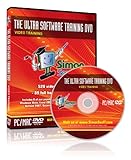
The Ultra Software Training Tutorial DVD: Training Tutorials for Adobe Photoshop Elements 8, Microsoft Windows 7, Windows Vista and Microsoft Office 2007 training for Excel 2007, Word 2007, Access 2007, PowerPoint 2007, and Outlook 2007 – 39 hours of computer software training.
- 520 video training tutorials totaling an incredible 39 full hours of training
- 8 of our most popular training courses, all of which have been taught to thousands of satisfied customers
- Expert quality training at a fraction of the cost of classroom based training
- Self-paced learning in the comfort of your own home or office
- Compatible with both Windows (PC) and Mac computers
Get 39 full hours of exceptional software training featuring 520 training tutorials on one computer DVD. We take 8 of our popular software training courses and compile them all into one ultra computer training DVD. Your training DVD includes the following courses:
Adobe Photoshop Elements 8: 6 hours of training, Microsoft Windows 7: 5 hours of training, Microsoft Windows Vista: 7+ hours of training, Excel 2007: 5 hours of training, Word 2007: 5 hours of training, PowerPoint 2007: 4.5 hours of training, Outlook 2007: 4 hours of training, Access 2007: 5 hours of training
We’ve used compression technology to pack this DVD to the max without any loss of quality. In fact, these are the exact same videos used on our Web site and on our other popular training DVDs, taught to thousands of satisfied customers worldwide! By combining these courses onto one DVD, we’ve made this a more environmentally friendly option while also passing savings on to you.
List Price: $ 89.97
Price: $ 44.97


Leave a Reply