Learn Photoshop
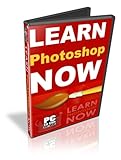
- A Step-By-Step Video Tutorial Training That Shows You Photoshop-Conquering Shortcut Secrets… In 2 Hours, And Without Any Headaches!
- “Photoshop Fast Track For Newbies” is a complete, step-by-step training program that’s perfect for you…
- Transform old photos just like new in just a few simple steps.
- Remove red eye from photographs so your friends and relatives no longer look like they are “possessed”.
- Hundreds of people have already used this program with amazing results. We pack in everything a beginner would want to know in two hours, but keep it simple and fun.
Photoshop Fast Track For Newbies
Video 1 – The Workspace
Video 2 – Selections
Video 3 – Painting and Drawing
Video 4 – Resizing Images
Video 5 – Image and Color Modes
Video 6 – Layers
Video 7 – Creating Text
Video 8 – Layer Styles and Effects
Video 9 – Photo Retouching
Video 10 – Saving Images
Video 11 – Tips and Tricks… “Removing Red Eye”
Video 12 – Tips and Tricks… “Photo Merging”
Video 13 – Tips and Tricks… “Lighting Effects”
Video 14 – Tips and Tricks… “Photo Framing”
Additional Videos For CS2 Updates
Video 1 – Bridge
Video 2 – Image Warp
Video 3 – Layers Updated
Video 4 – Lens Correction
Video 5 – Red Eye Tool
Video 6 – Smart Objects
Video 7 – Spot Healing
Additional Videos For CS3 Updates
Video 1 – Auto Align
Video 2 – Auto Blend
Video 3 – Black and White
Video 4 – Blend Modes
Video 5 – Brightness and Control
Video 6 – Bridge CS3
Video 7 – Clone Source
Video 8 – Curves
Video 9 – Interface
Video 10 – Photomerge
Video 11 – Quick Select
Video 12 – Refine Edge
Video 13 – Smart Filters
Rating:  (out of 2 reviews)

Price: $ 97.00
Find More Photoshop Tutorial Products


Leave a Reply