Class on Demand 2009: Complete Training for Adobe Premiere Pro CS4: Adobe Educational Tutorial Training DVD [Interactive DVD]
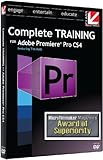
The latest 2009 Adobe Premiere Pro Training from Multi-Award winning Producer Class on Demand! This Training DVD will teach you everything needed to quickly and easily move from beginner to Master editor with Adobe Premiere Pro CS4. “Complete Training for Adobe Premiere Pro CS4” really does cover it all. All HD project files are included so you use the same broadcast quality graphics and video’s that Kolb uses during the training. Learn to edit like a pro regardless of past software experience. Tim will guide you through a series of information-packed lessons. More than just training on Adobe premiere Pro CS4, this is a Training course full of information and tips that you can only get from a Multi Emmy award winning editor. LESSONS 1. On Location 1.1 Monitor Calibration 1.2 Diagnostic Displays 1.3 Overlay Window 1.4 Preferences 1.5 Shot List Window 2. Starting a Project 2.1 Launching Premiere Pro 2.2 Preferences and Interface 2.3 Ingest from Tape 2.4 Import Media 3. Organizing Media 3.1 Preferences 3.2 Interface 3.3 Metadata 3.4 Project Panel 3.5 Bins 3.6 Media Browser 4. Sequences 4.1 Preferences 4.2 Interface 4.3 Creating a Sequence 4.4 Sequences with Multiple Settings 4.5 Tracks 4.6 Audio Units 5. Editing 5.1 Preferences 5.2 Interface 5.3 Editing Basics 5.4 Tools 5.5 Timeline Navigation 5.6 Transitions 5.7 Multi-cam Editing 6. Effects 6.1 Interface 6.2 Video Effects Folder 6.3 Placing an Effect 6.4 Effects Control Panel: Visual Effects 6.5 Effects Control Panel: Intrinsic 7. Audio 7.1 Preferences 7.2 Interface 7.3 Audio Mixer 7.4 Audio on the Timeline 7.5 Audio Tracks 7.6 Audio Effects 7.7 Mixing Basics 8. Creating Titles 8.1 Preferences 8.2 Interface 8.3 Creating a Text Document 8.4 Type Attributes 8.5 Templates 8.6 Creating a Roll 8.7 Creating a Crawl 9. Output 9.1 Project Manager / AAF 9.2 Adobe Media Encoder Settings 9.3 Batch Encoding 9.4 Sequences and Composition Encodes 9.5 Export to Tape 10. Encore DVD 10.1 Project Settings 10.2 Interface 10.3 Importing Assets 10.4 Editing a Menu 10.5 Structure Setup 10.6 Output Format: DVD 10.7 Output Format: Blu-ray Disc 10.8 Output Format: Flash 11. Dynamic Link 8.5 Hours

List Price: $ 79.00
Price: $ 79.00
Find More Adobe Tutorial Products
Leave a Reply